AAMRK Solutions

Nesting Plugins in Philippines

Optimize your packaging production with Nesting Plugins in Philippines by AAMRK. Automatically arrange carton artwork on multi-up die layouts, apply bleed, add production marks, and generate print-ready sheets directly within Adobe Illustrator and CorelDRAW.

Adobe Illustrator (AI)

CorelDRAW (CDR)

CF2, CFF2 & DXF Formats

Coffee + chocolate gang · 9 stations · built by AAMRK Nesting


    From Die Layout to Print-Ready Sheet in 5 Easy Steps

    Work directly within your preferred design application while keeping artwork editable and vector-based. Create production-ready layouts without switching between multiple applications.

    Import Die Layouts

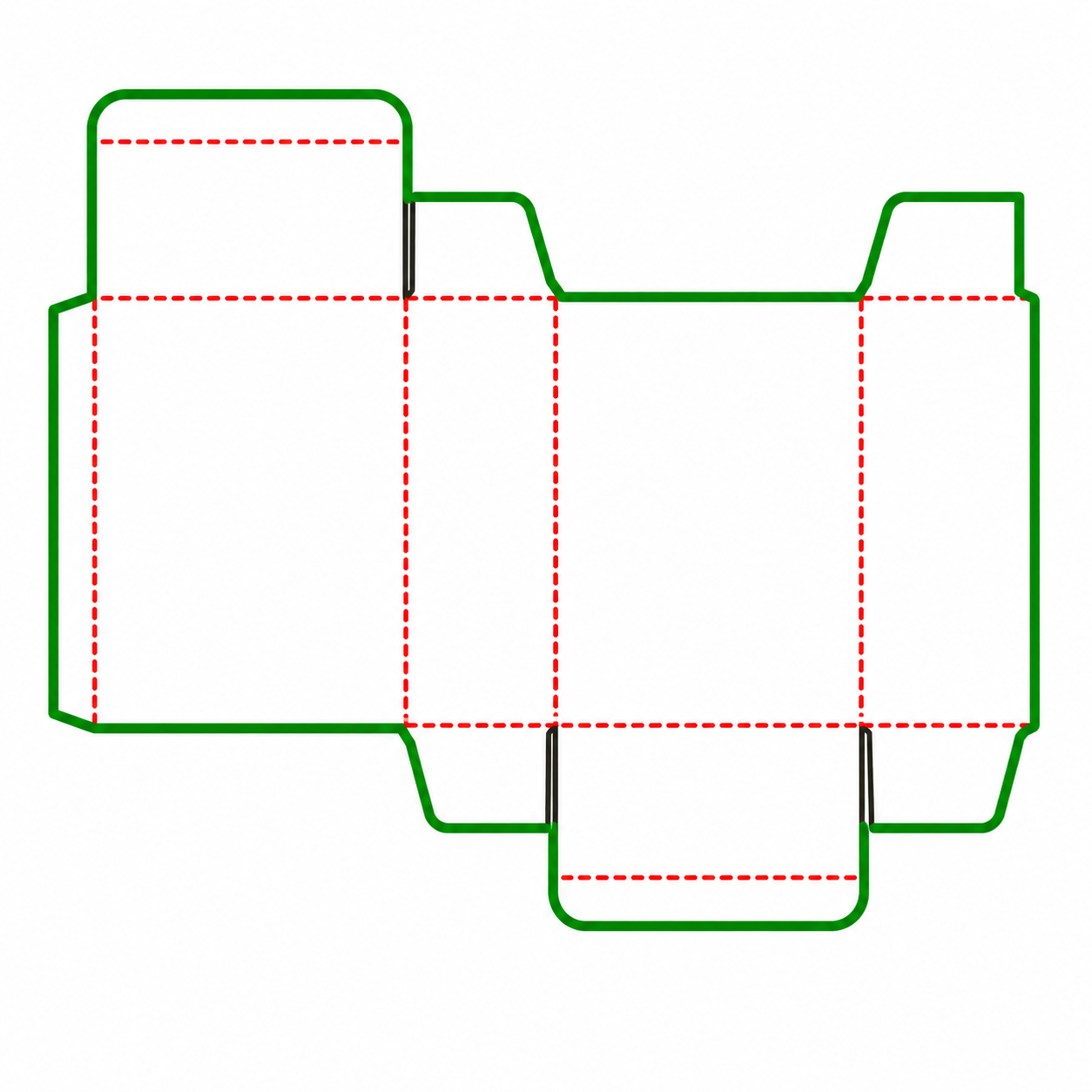
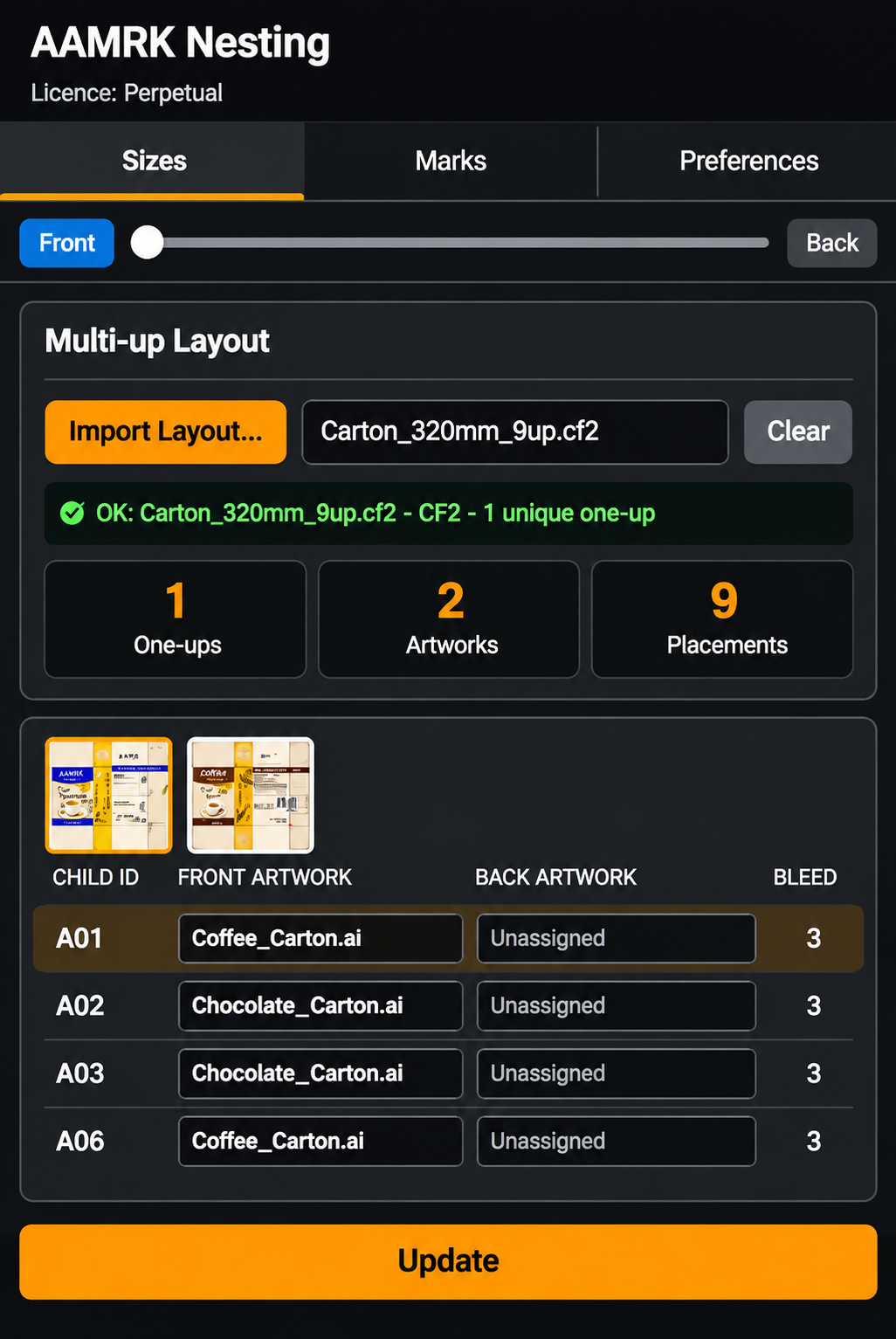
    Import multi-up die layouts in CF2, CFF2, or DXF formats. The plugin automatically identifies unique one-up designs and their individual stations.

    Select Artwork

    Select front and back artwork for each design or individual station. Import PDF and AI files or use existing documents to organize your packaging artwork.

    Place and Clip Designs

    Position artwork according to the die layout, rotate it automatically, and clip it to the die line with the required bleed settings.

    Configure Production Marks

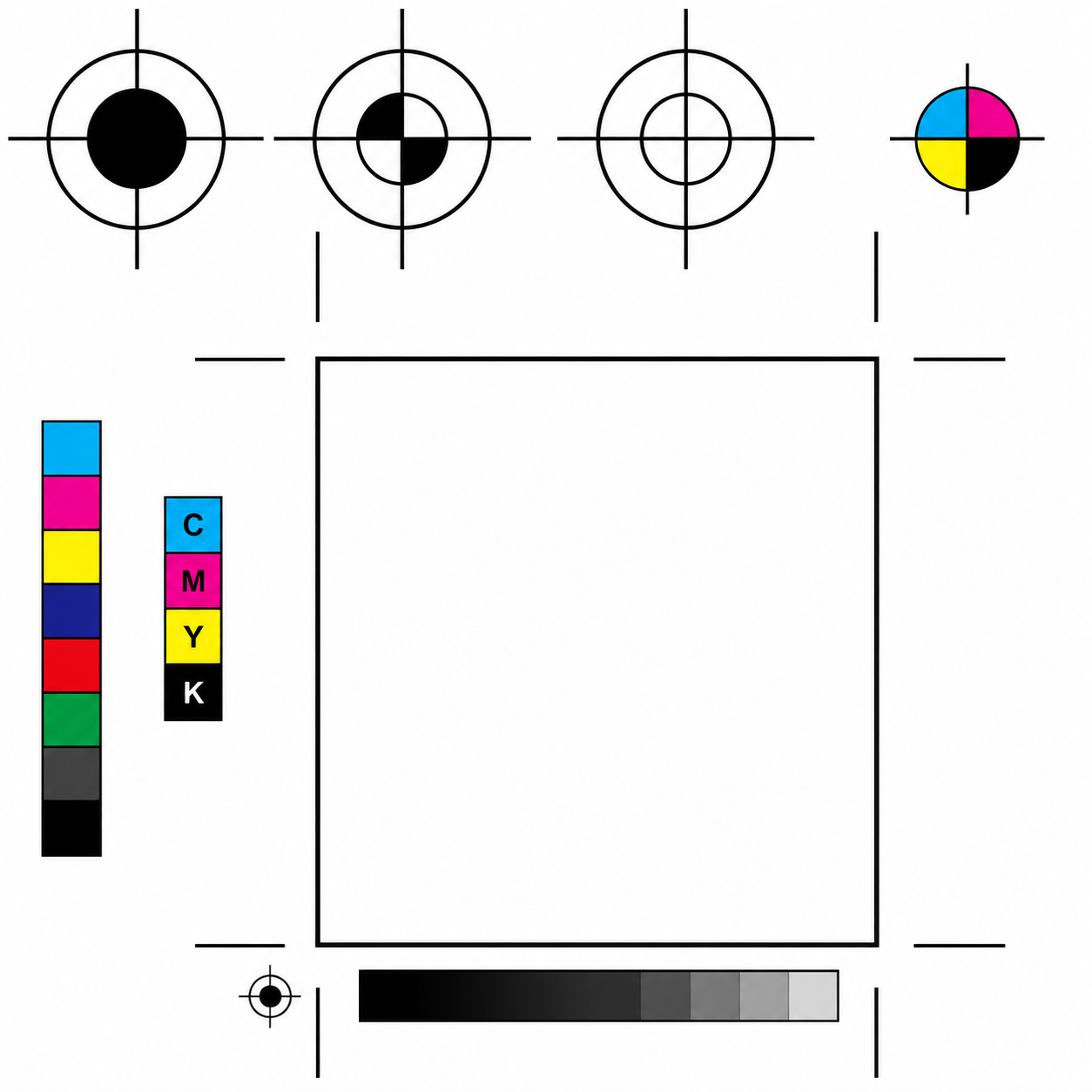
    Configure plate dimensions, gripper, and alignment. Add colour bars, cutting marks, crease marks, file information, and station IDs using saved templates.

    Update and Export Files

    Update artwork across assigned stations whenever changes are made. Export the completed sheet as AI or PDF for accurate plate-making and production.

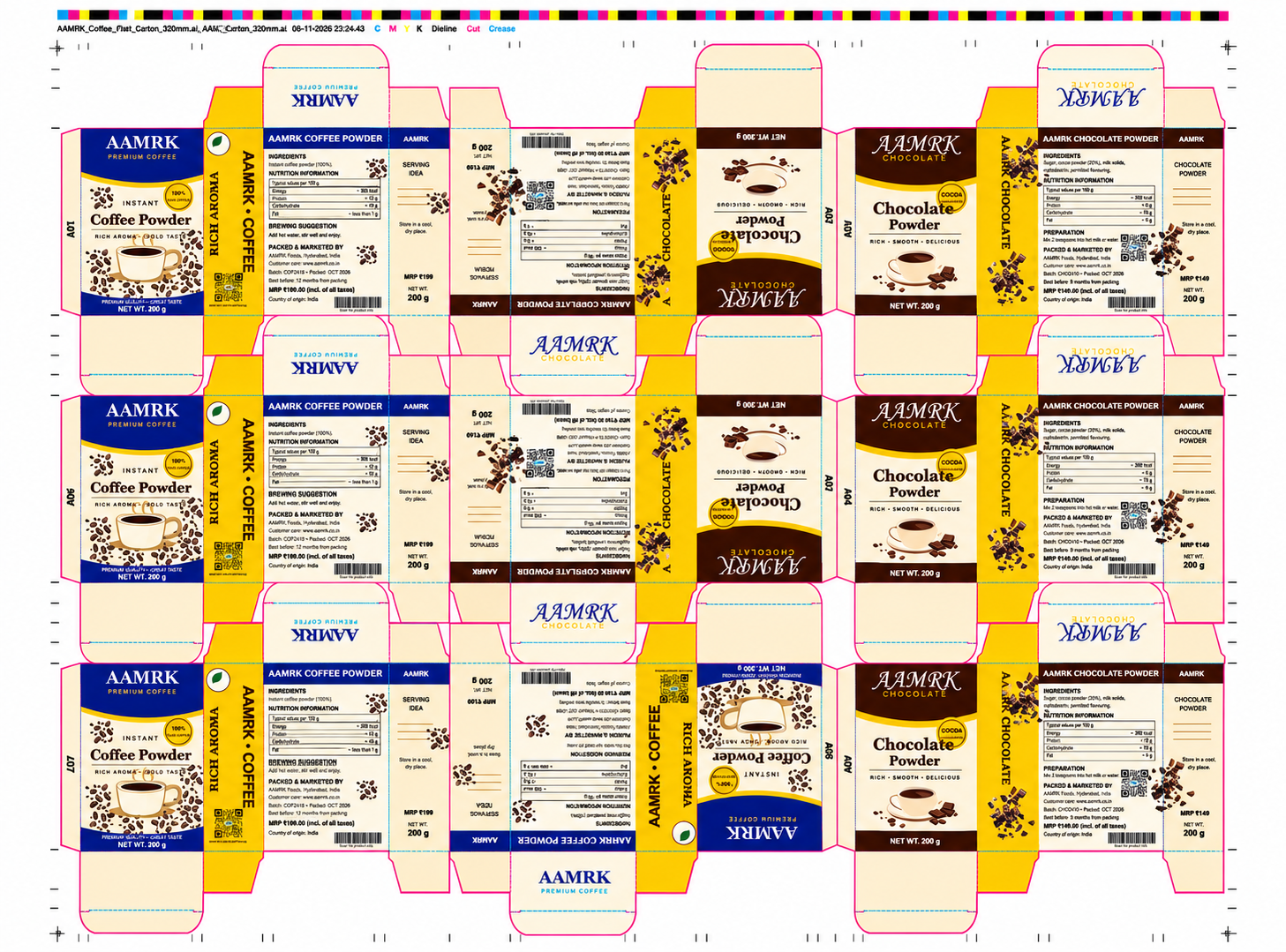
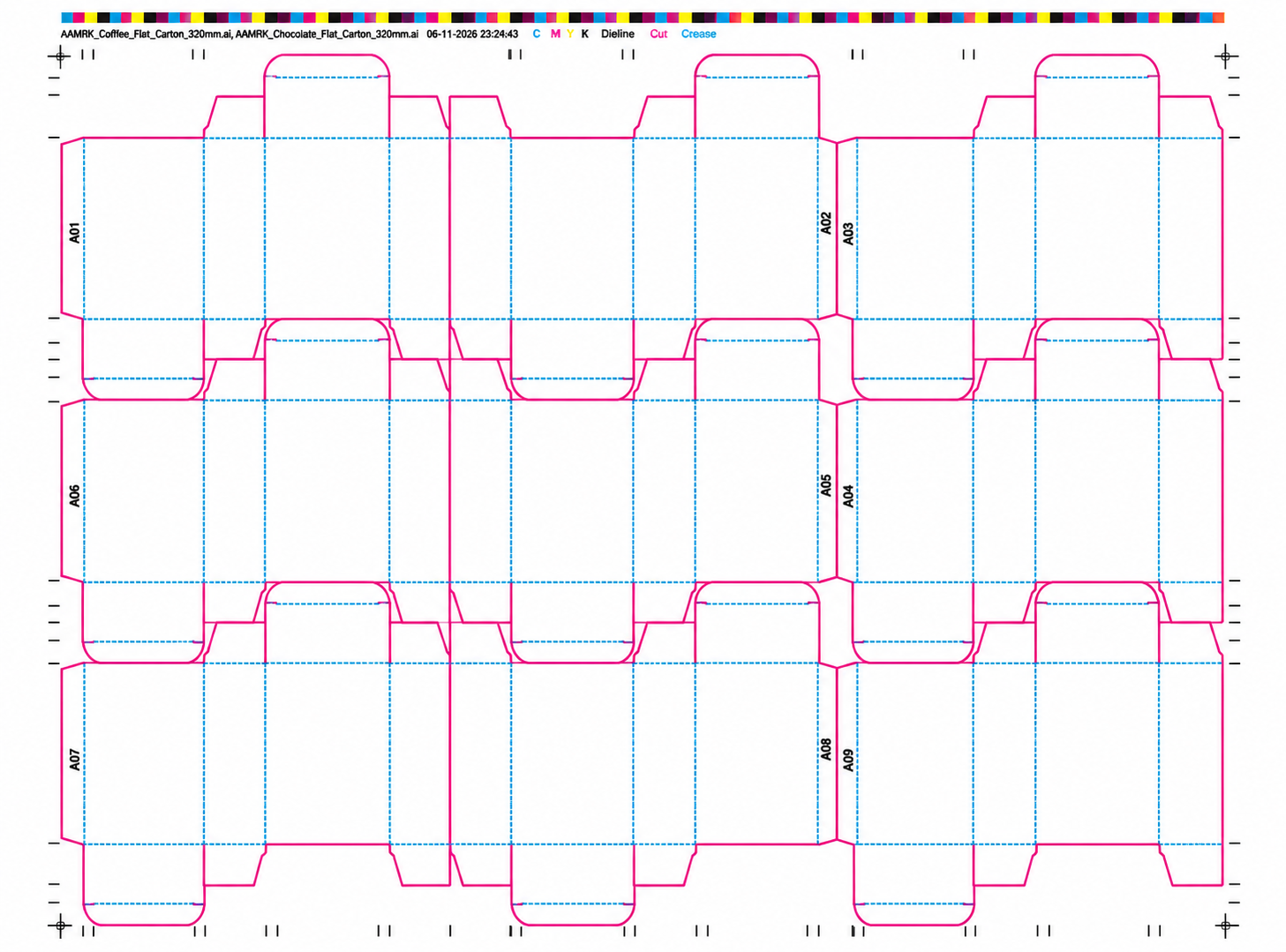
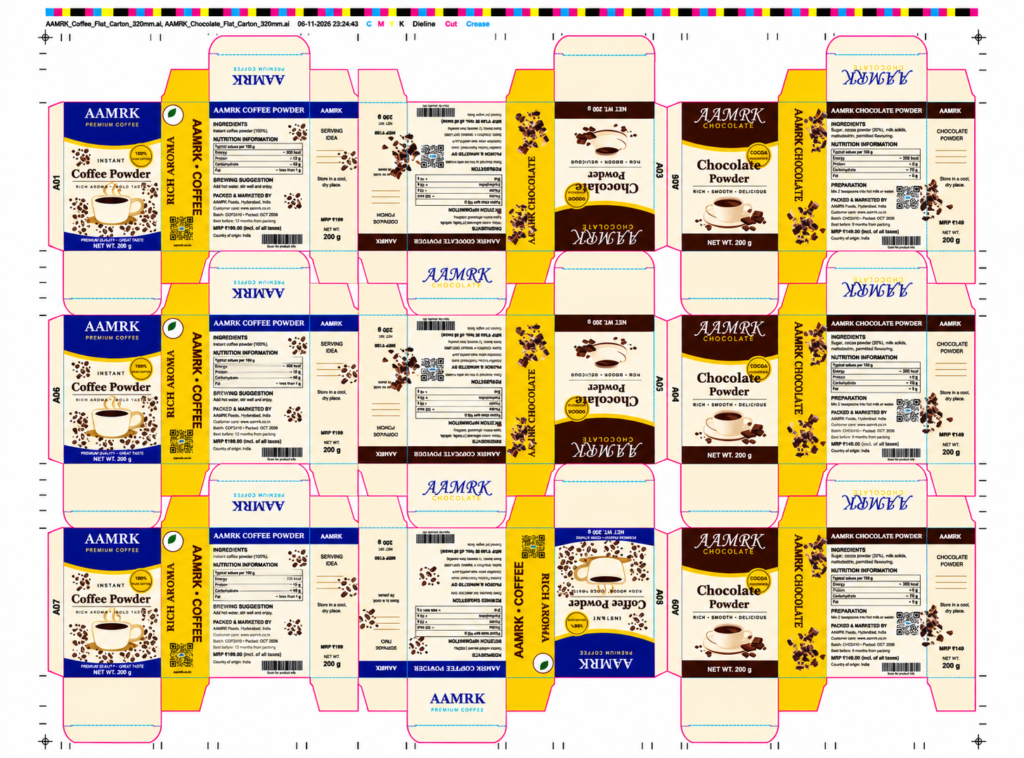
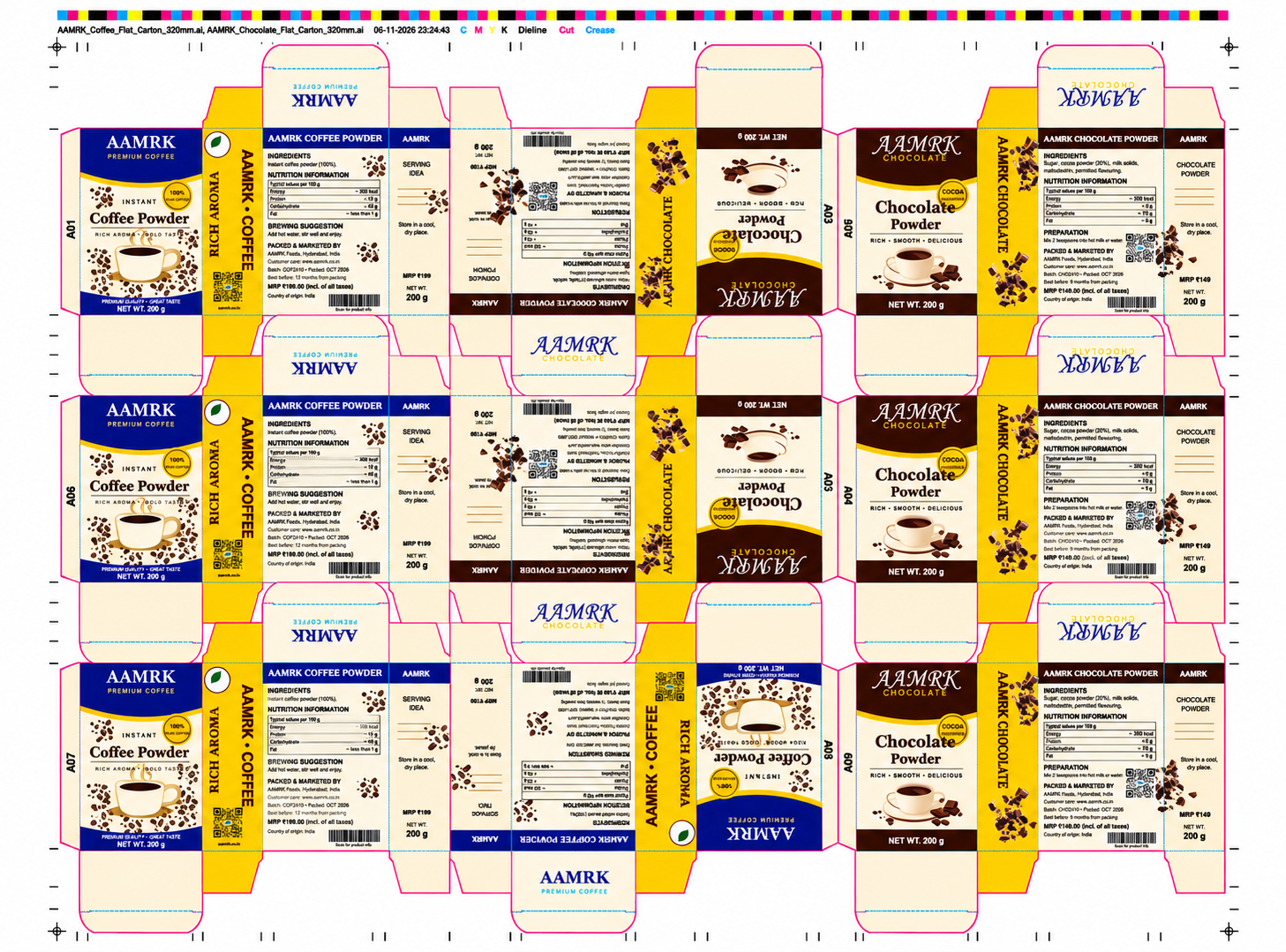
    AAMRK Coffee and Chocolate Dieline Sheet 3×3 Carton Dieline Print Layout

    Multiple Designs, One Sheet

    Coffee Powder 200 g

    320 mm flat carton

    Chocolate Powder 200 g

    320 mm flat carton

    Multi-Product Artwork Nesting

    Arrange multiple packaging designs on one production sheet by assigning different artwork to individual stations, automatically rotating designs to match cutting layouts and reduce material waste.

    A01

    coffee

    A02

    chocolate

    A03

    chocolate

    A04

    chocolate

    A05

    chocolate

    A06

    coffee

    A07

    coffee

    A08

    coffee

    A09

    chocolate


      Everything You Need for Production-Ready Nesting

      Layout

      CAD Layout Integration

      Import CF2, CFF2, and DXF layouts and automatically identify unique designs, cutting lines, creasing lines, and perforations.

      Artwork

      Front & Back Artwork

      Assign front and back artwork individually for each design or station, with preview options to check registration and alignment.

      Artwork

      Live Artwork Workspace

      Make station changes directly within the workspace. Update the layout whenever the original artwork is modified.

      Clipping

      Accurate Clipping and Bleed

      Clip artwork to die lines with adjustable bleed settings. Identify shared cutting lines between neighbouring stations for better production accuracy.

      Marks

      Custom Marks Library

      Import and position vector marks in PDF, AI, EPS, and SVG formats. Arrange marks around the nesting layout or printing plate.

      Marks

      Reusable Marks Templates

      Save production marks and layout settings as templates to simplify future jobs and maintain consistency.
      Production

      Production Details

      Add colour bars, cutting and creasing marks, file information, ink details, and station IDs for easier production management.

      Output

      Print-Ready Die Lines

      Manage cutting, creasing, and dieline strokes with dedicated spot colours and overprint settings to support accurate printing.

      Plate

      Flexible Plate Configuration

      Set plate width, height, and gripper dimensions. Centre the nesting layout horizontally or vertically according to production requirements.

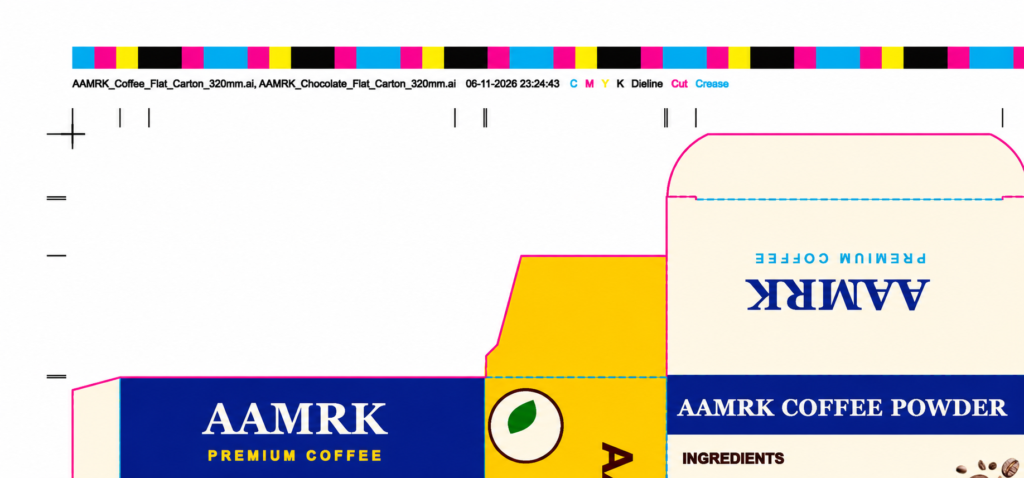
      Colour bar and file info. The file info line names the artwork files and the time of the last save, and lists every ink on the sheet in its own colour.
      Inks C M Y K-Spots Dieline | Cut | Crease
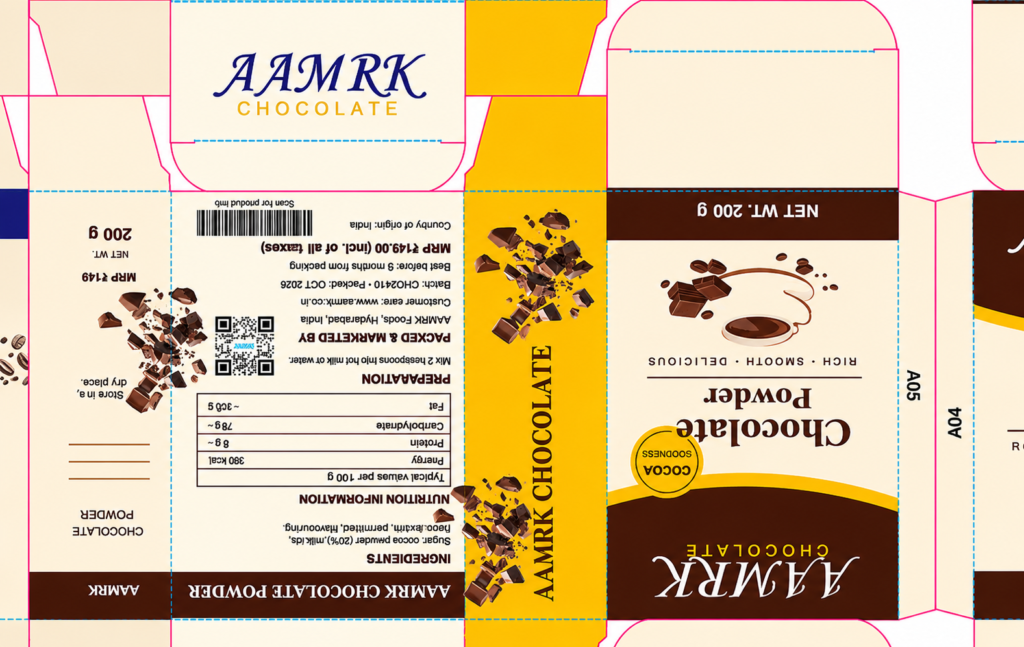
      Rotated stations. Station A05 is turned 180° in the layout, and its artwork turns with it. Every station carries its ID for checking at press and die-cutting.

      Three Essential Tabs

      The same panel layout in Illustrator and CorelDRAW, so operators who use both need to learn it only once.

      Layout Settings

      Import die layouts, assign artwork, adjust plate sizes, and update your production sheet.

      Mark Settings

      Manage bleed, cutting lines, custom marks, templates, and production details.

      User Preferences

      Choose measurement units and configure default folders for your marks library.


        Choose your application

        Windows 10 and 11
        64-bit. Administrator rights are needed for installation only. 8 GB RAM recommended for large sheets.