AAMRK Solutions

Every station.
Every mark.
One press-ready PDF.

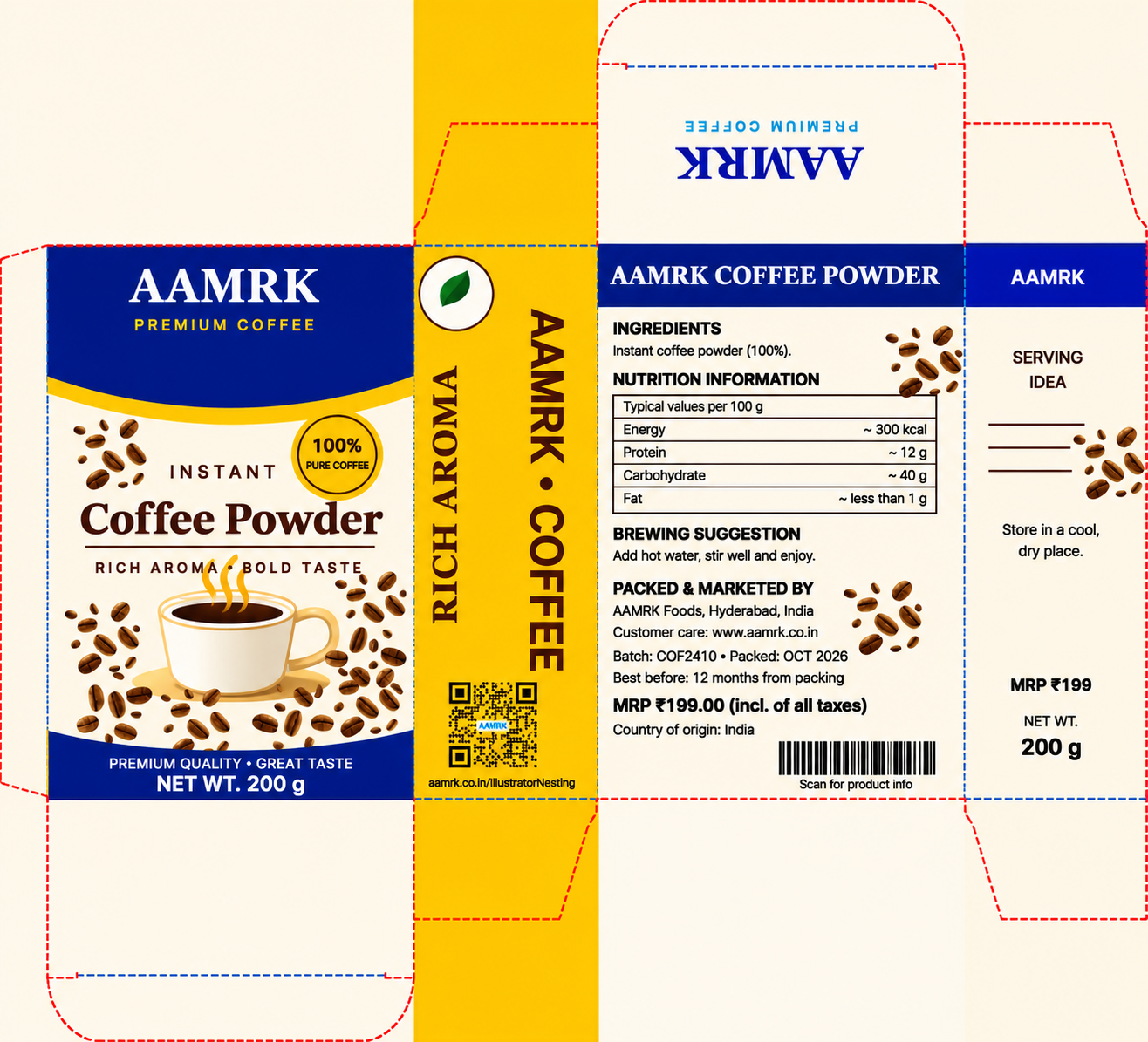
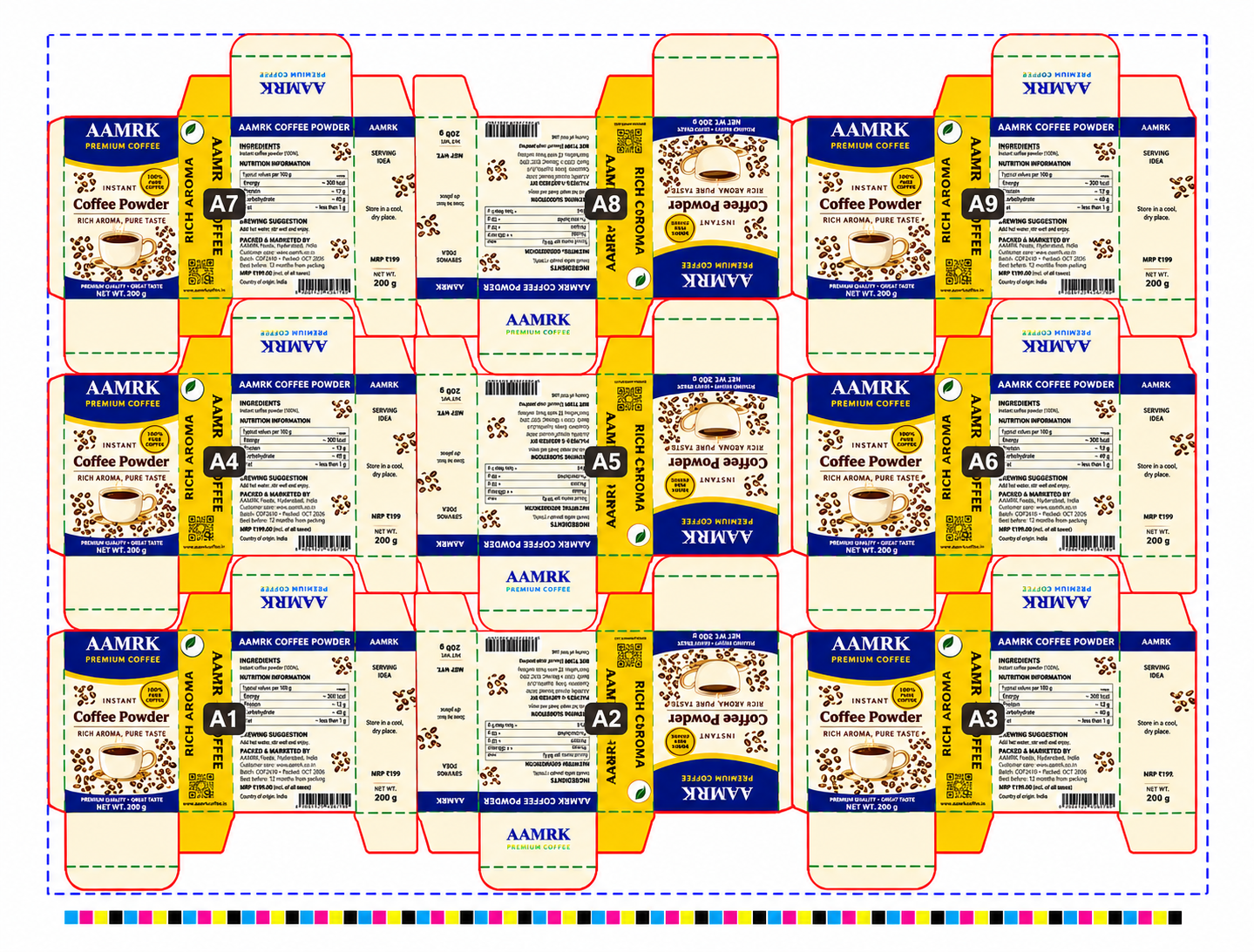
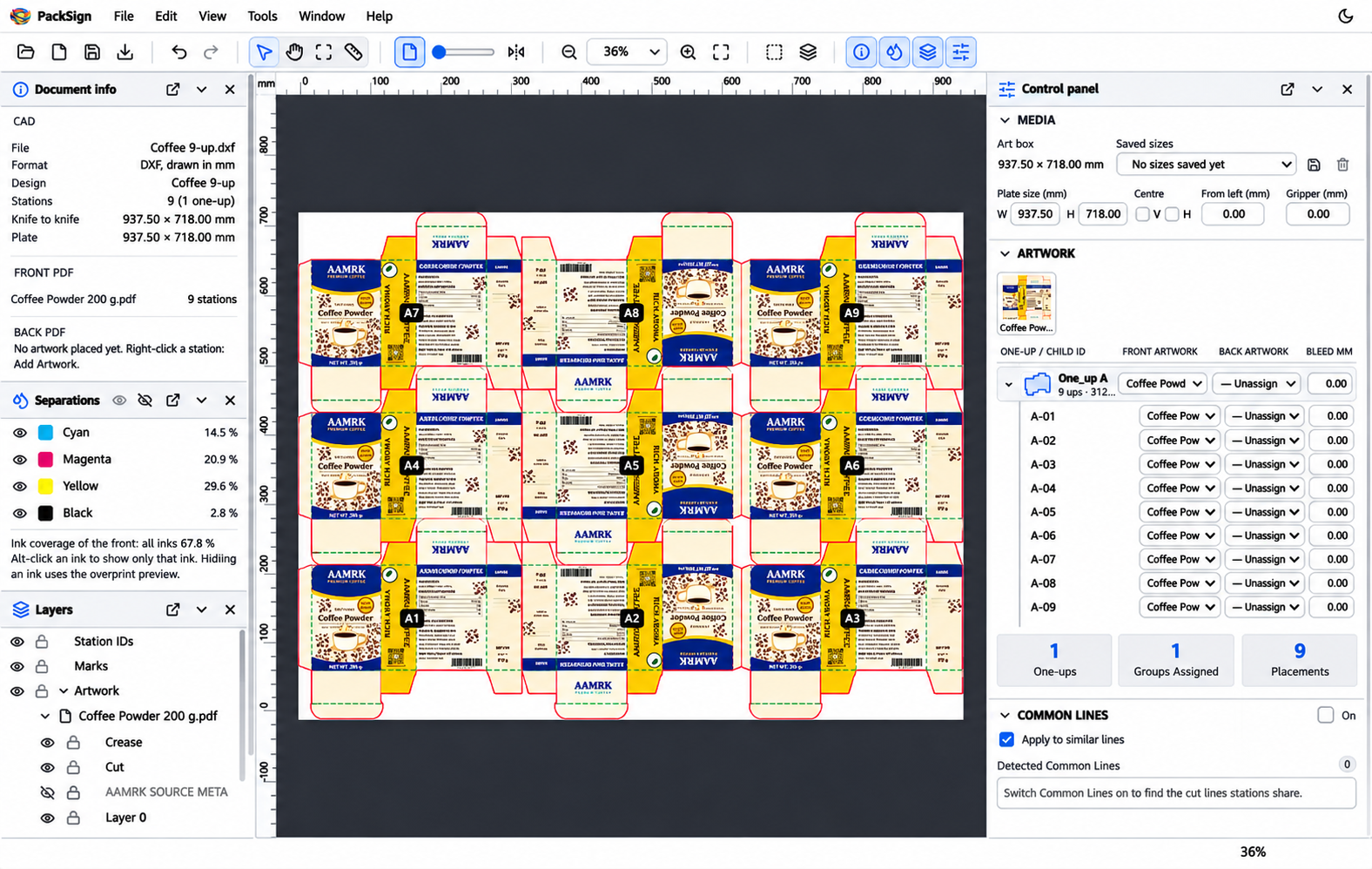
PackSign puts your packaging artwork on every station of a die layout and builds the complete press sheet: marks, colour bar, file information and station IDs, front and back, exported as one clean PDF.

Your die layouts

CF2 / CFF2 and DXF (AutoCAD R9 to 2018), with cut, crease and perforation lines.

Your artwork

PDF, Adobe Illustrator and CorelDRAW files, on the front and the back of the sheet.

One press-ready PDF

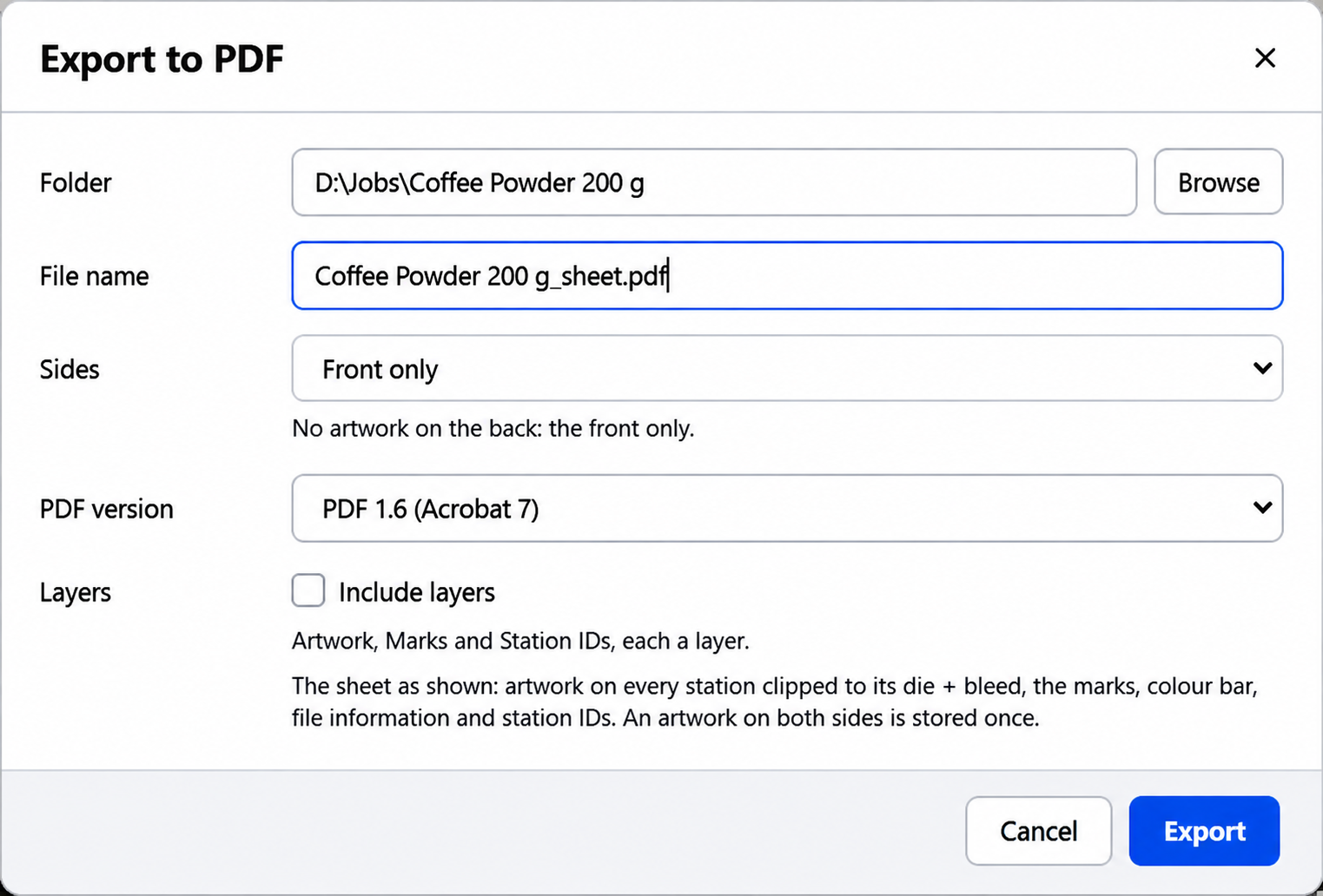
PDF 1.4 to 2.0, with correct page boxes, embedded fonts and optional layers.


    From die layout to press sheet in five steps

    Open the die layout from your CAD system, bring in the artwork once, and PackSign does the repetition: every station, every rotation, every mark in the right place, front and back.

    on every station

    1

    Open the layout

    CF2 or DXF. Stations, rotations, cut and crease lines come from the file.

    2

    Set the plate

    Plate size; centre the layout or place it from the left edge and the gripper.

    3

    Place the artwork

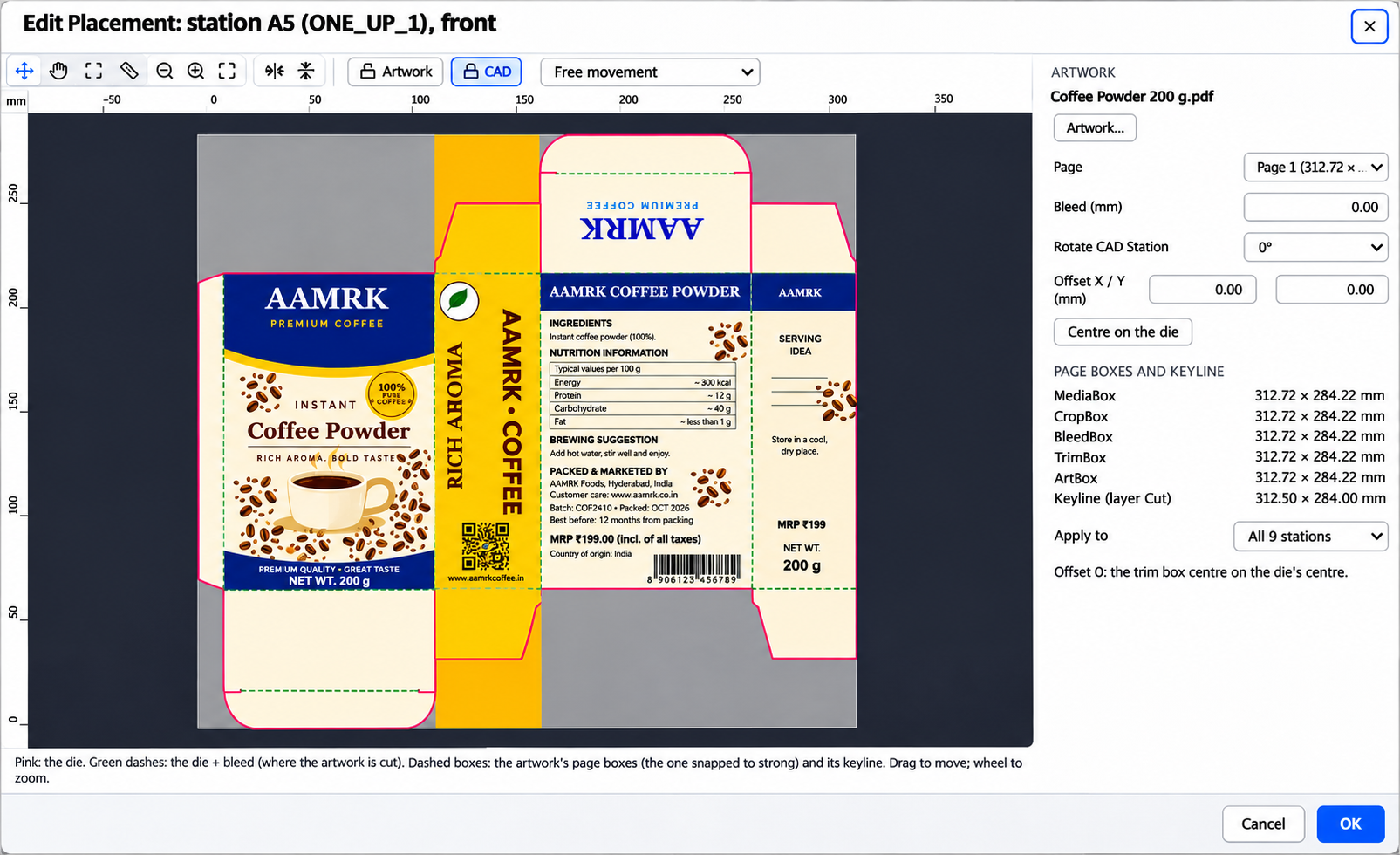
    Import PDF, AI or CDR once; it goes on every station of the one-up.

    4

    Add the marks

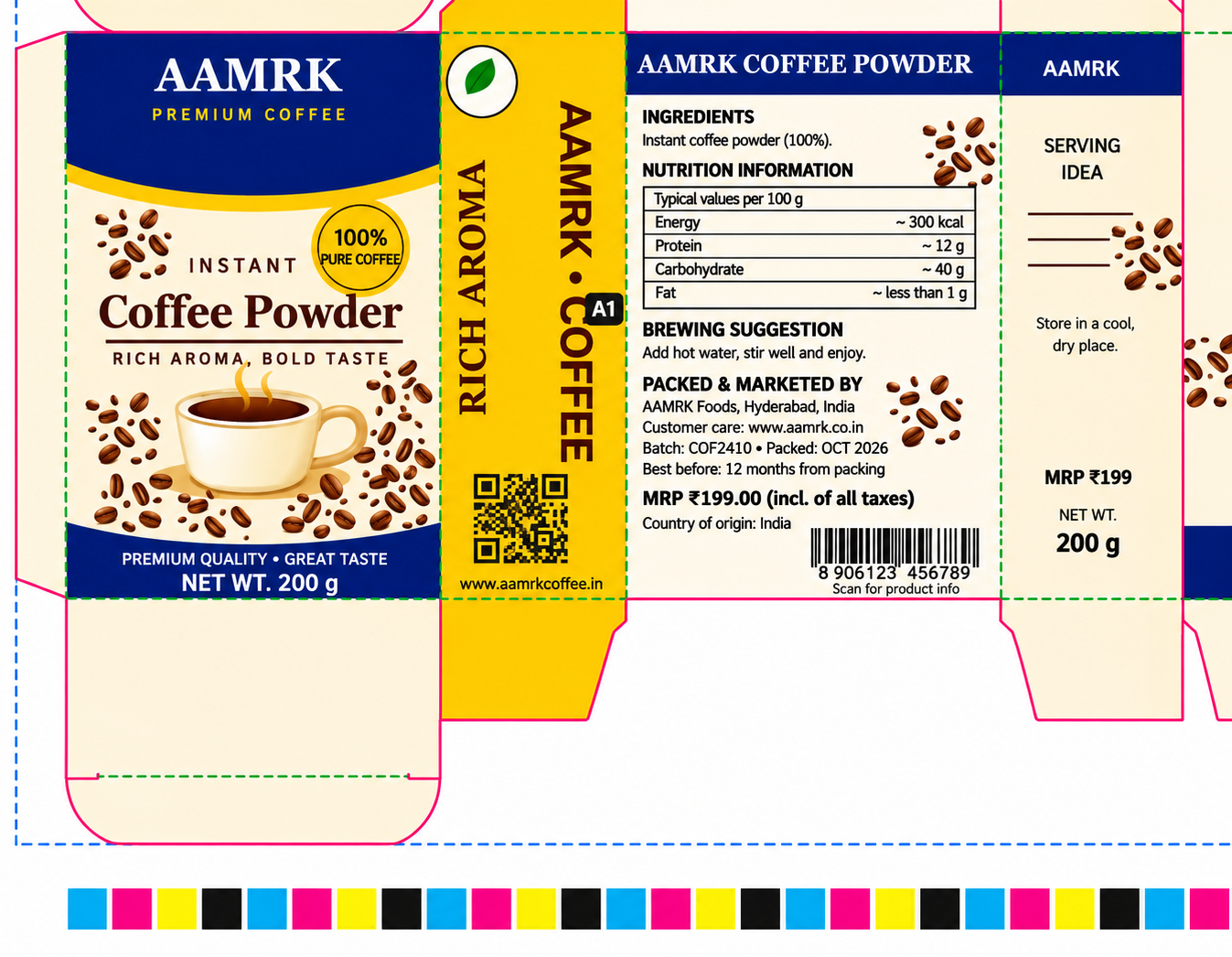
    Crop and registration marks, colour bar, cut / crease ticks, file info, station IDs.

    5

    Export

    One PDF, front and back, checked before it is written. Save the job.


      Placement to a tenth of a millimetre

      Everything the press sheet needs

      A colour bar from the artwork's own inks

      The patches follow the inks in the artwork: the process colours first, then the spot inks. Choose rectangles, circles or pinwheels, the size, the tint steps and the position.

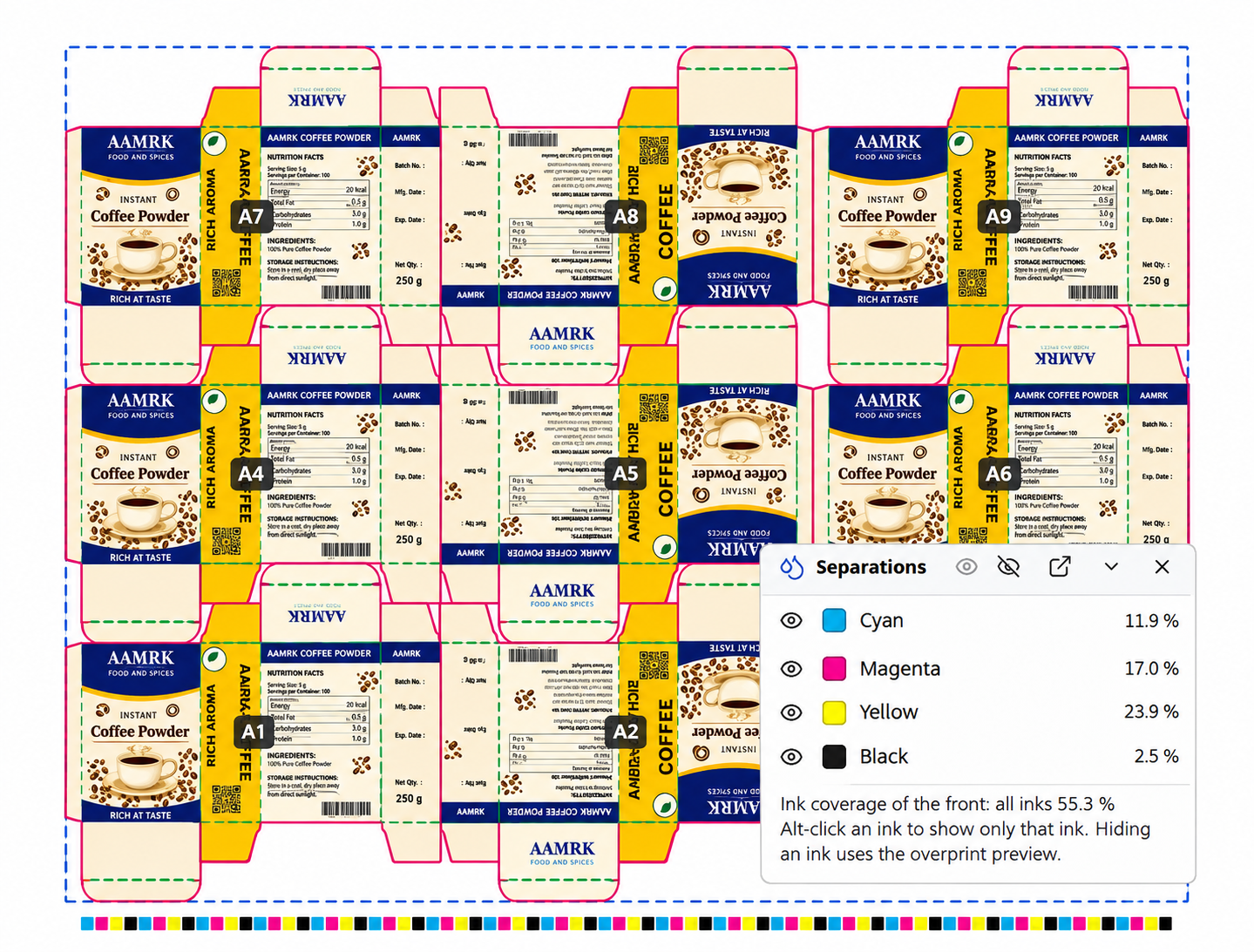
      Separations and ink coverage

      Show each ink on its own, switch inks on and off, preview the overprint, and read the ink coverage of every separation while you work.
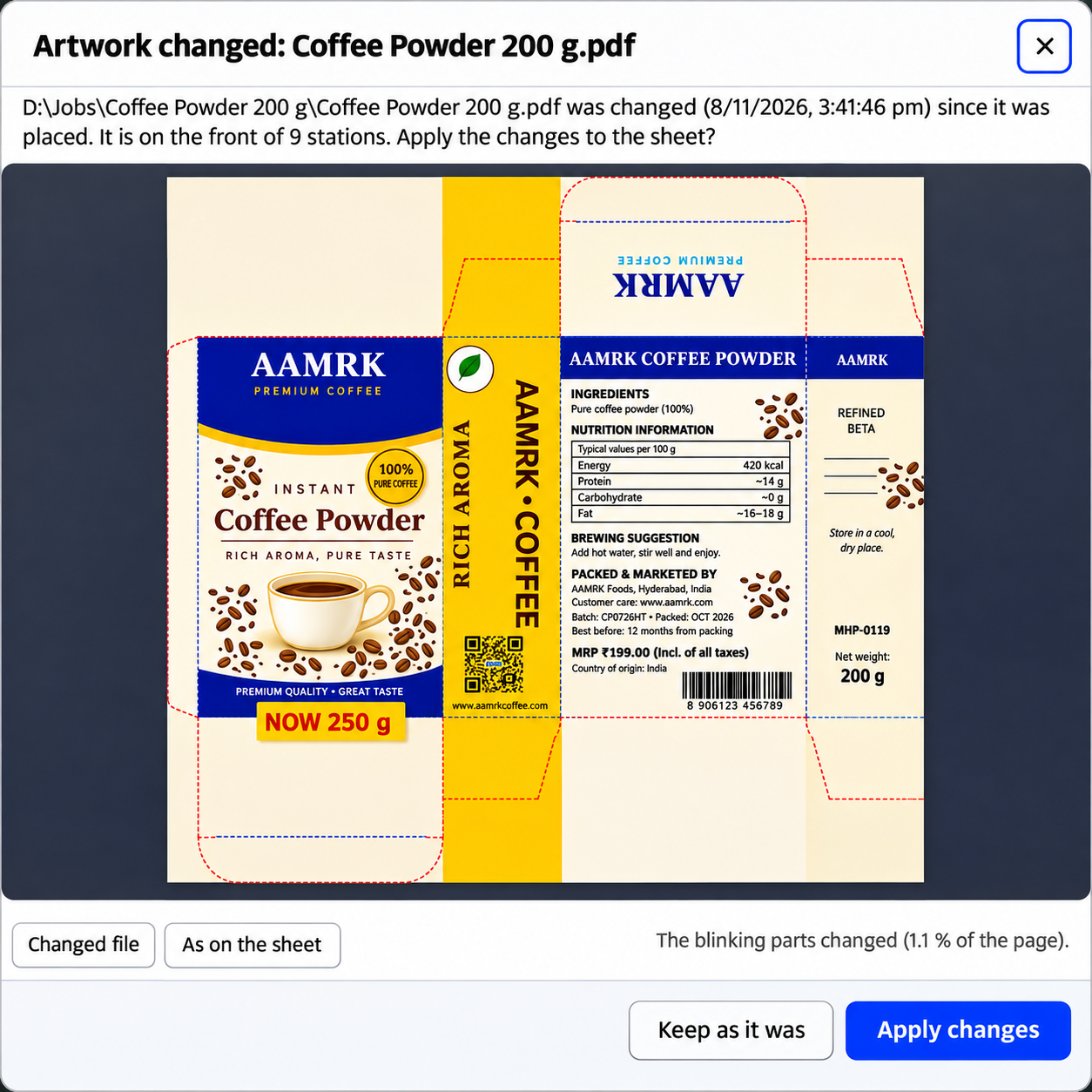
      Linked artwork, no surprises

      When an artwork file changes after it was placed, PackSign shows what changed (blinking) and where it is used. Apply the update to the sheet, or keep the version you placed.

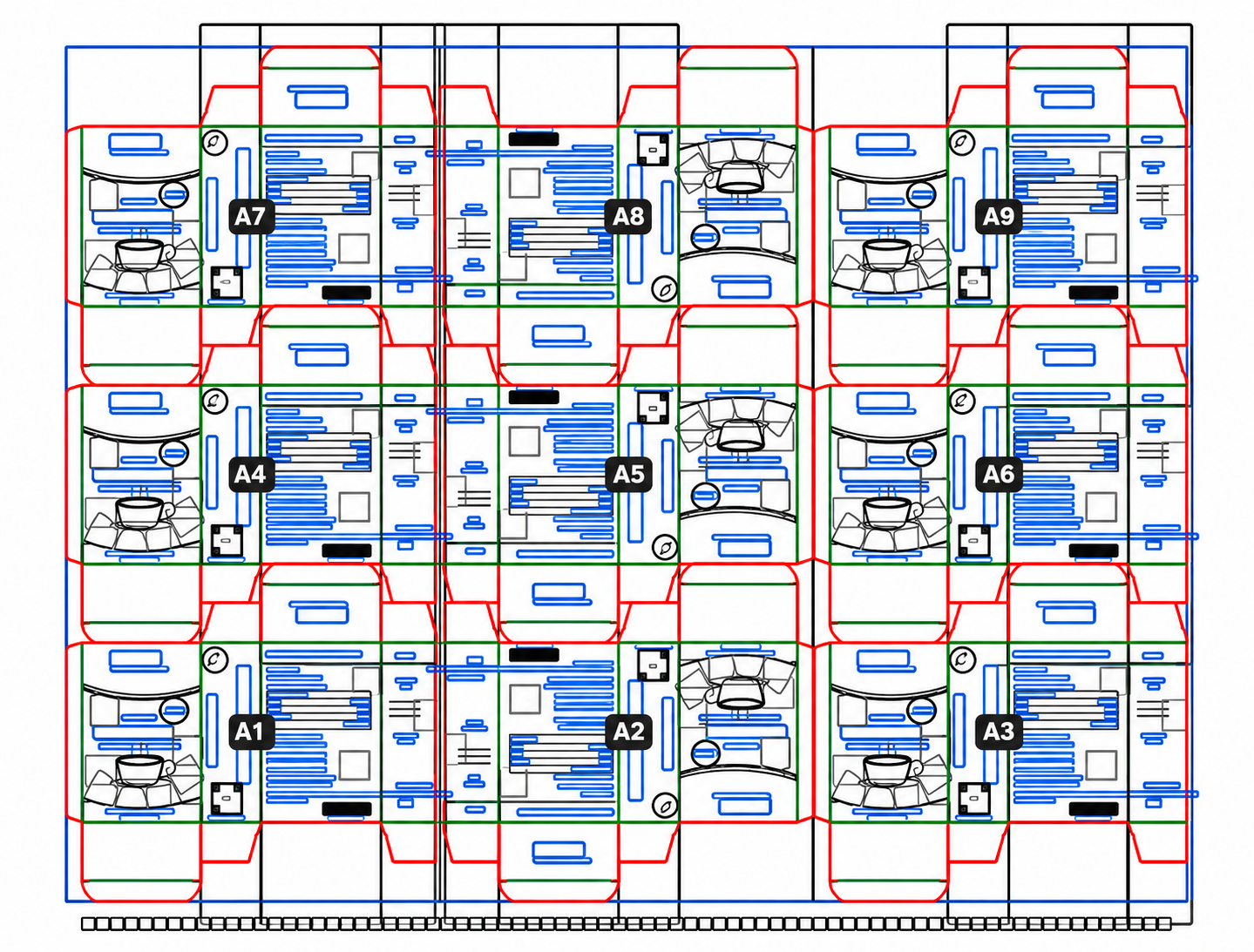
      Outline view

      Ctrl+Y draws every object as a thin outline with the dies on top: stray paths, overlaps and objects outside the die stand out at a glance.

      Station IDs.

      From the CAD labels, or your own prefix and running number. Placed once, printed on every station.

      Common lines.

      Stations that share a cut line get their bleed cut back there; one choice applies to every similar line.

      Marks templates.

      Save the marks, colour bar, ticks, file info and station IDs as a template and apply it to any sheet size.

      Layers.

      Hide or lock the artwork, the marks or the station IDs; hidden layers stay out of the export.


        A PDF your prepress team can trust

        Jobs that travel.

        A .pack job file holds the layout, the plate, every placement and setting, and copies of the layout and the artwork. Open it again on any computer with PackSign.

        Made for daily work.


        Undo and redo for every change, light and dark theme, dockable panels, keyboard shortcuts you can set yourself, and a user guide built.

        Technical details

        Die layouts

        CF2 / CFF2; DXF (AutoCAD R9 to 2018). Cut, crease and perforation lines; CAD station labels kept.

        Artwork

        PDF; Adobe Illustrator (.ai, saved PDF compatible); CorelDRAW (.cdr). Multi-page files; front and back.

        Output

        PDF 1.4 to 2.0, front and back; optional layers (PDF 1.5 and later).

        Units

        Millimetres, centimetres, inches, points, picas.

        Runs on

        Windows 10 and 11, 64-bit.


          Choose your application